Contents of How-to Guides

How to Convert Video to Audio with Any Audio Converter
Any Audio Converter is a powerful free video to audio converter that enables users to easily convert videos into various audio formats, such as MP3, M4A, WAV, and FLAC. It supports batch conversion with no limits on the number of files or conversion times, allowing users to extract audio from multiple videos quickly while maintaining high audio quality.


How to Freely Convert Videos to Other Audio Formats
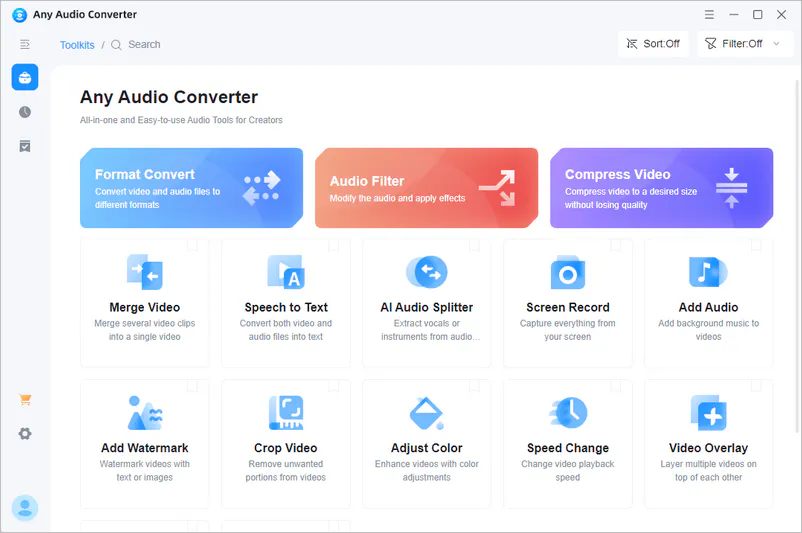
Step 1 Select the 'Format Convert' Tool
Once installed, launch Any Audio Converter and select the 'Format Convert' tool. Upload the video files you want to convert. You can import one or multiple videos at once for batch audio conversion.
Step 2 Choose an Audio Format
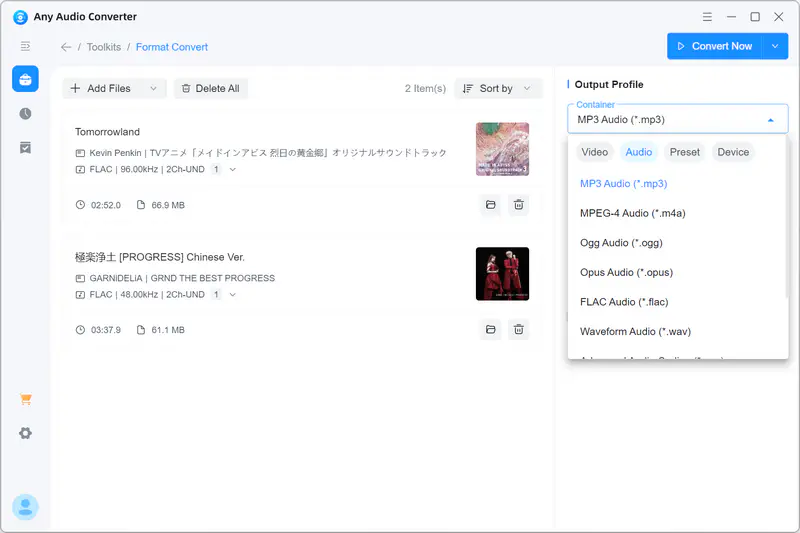
Choose your preferred output audio format, such as MP3, M4A, WAV, or FLAC, from the format list. Select the format that best fits your playback device or usage needs.
You can also customize audio settings in 'Output Profile' section, including bitrate, sample rate, and channel.
Step 3 Export Your Video to Audio Files
Once the settings are complete, click the 'Convert Now' button to start the conversion process and export your audio files with high quality.